skip navigation

Google Places

13 August 2010
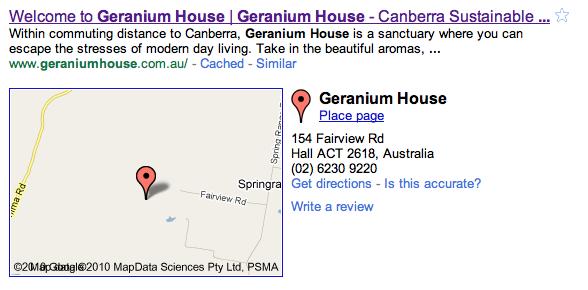
If your business doesn't already show up alongside a map in Google search results, as shown in this example, you should log in to google.com/places and enter your business address and any related information.

Also if your business does appear, you should log in to the same website to 'claim' the listing which will then allow you to edit/update the relevant details.

Geographic searches are becoming much more popular and powerful so it's important that you have control over the results. If you need any help with this please contact us directly.

Related link

< news archive

Latest News

Moving time »

Next week we will be moving house (and office), not far, but through the snow. Thank you for your patience while we get...

What happened in 2011? »

There has been a lot of work going on at Chirp in the last 12 months, most of which has probably passed unnoticed as it involves...

Maps upgraded with driving directions »

For all of our websites using Google Maps - either for a location map or as an integral component of the website - we can...

Backing up to 'the cloud' »

As of today most of our hosted websites have been backed up, including databases, configuration files and website content,...

more news »